Reward Incentives & Withdrawals
Task management
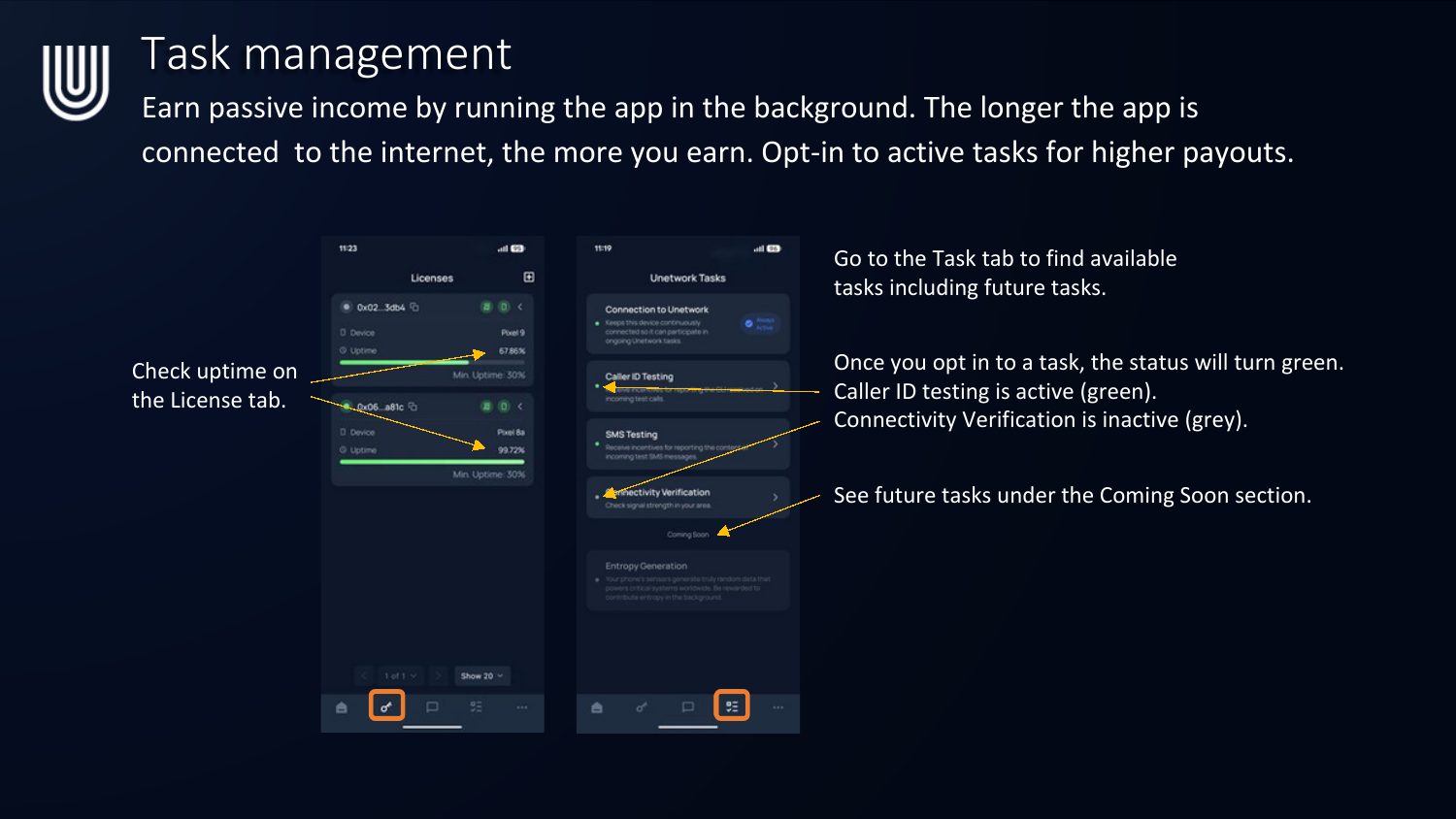
Earn passive income just by running the app in the background — the longer the app stays connected to the internet, the more you earn. Opt in to active tasks for higher payouts.
- Check your uptime on the License tab.
- Go to the Task tab to find available tasks, including tasks coming soon.
- Once you opt in to a task, its status turns green (active) — grey means inactive.
- See future tasks under the Coming Soon section.
Track incentives
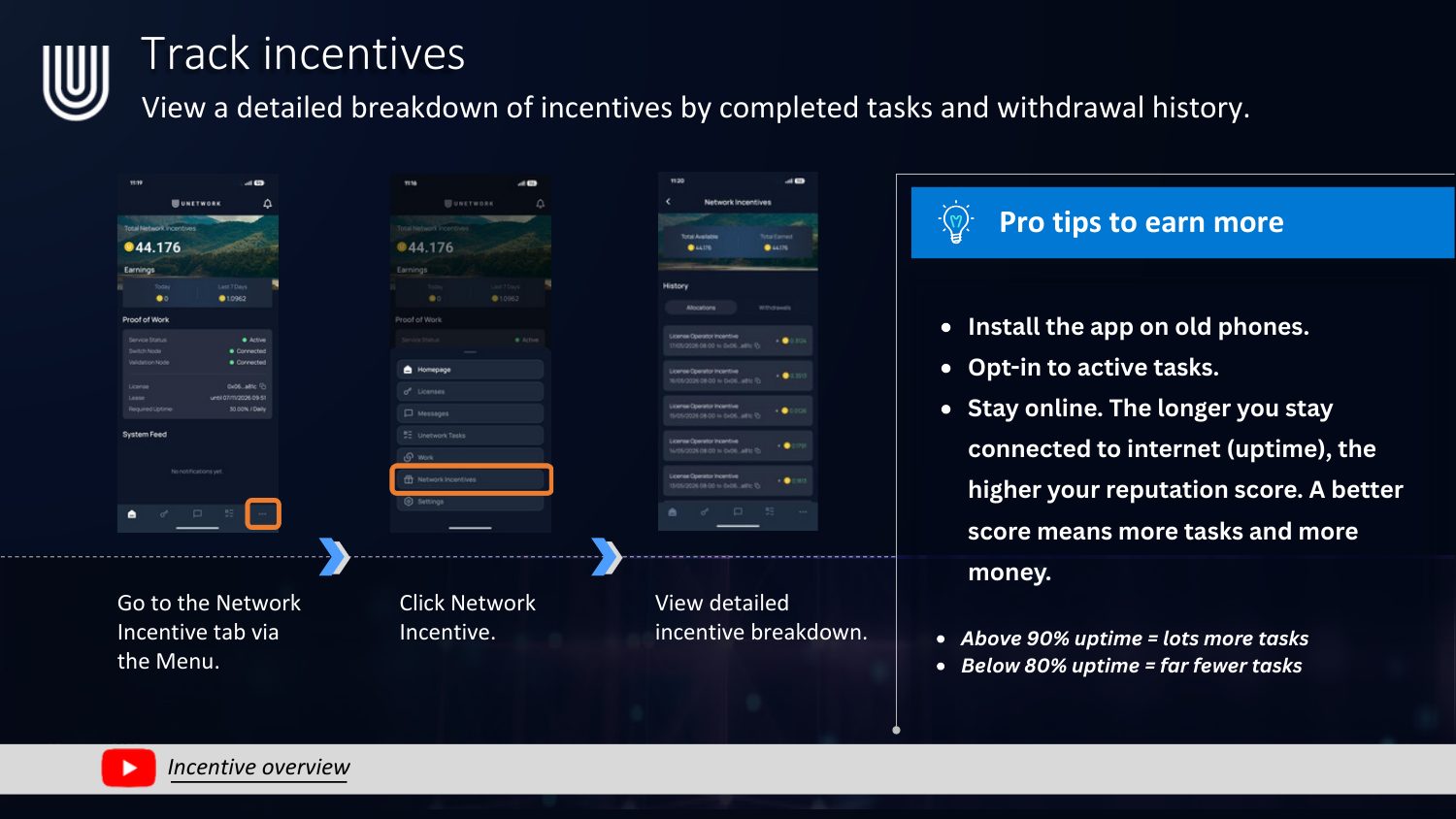
- Go to the Network Incentive tab via the Menu.
- Click Network Incentive.
- View your detailed incentive breakdown.
Pro tips to earn more: install the app on old phones, opt in to active tasks, and stay online — the longer you stay connected (uptime), the higher your reputation score, and a better score means more tasks and more money. Above 90% uptime = lots more tasks; below 80% uptime = far fewer tasks.
Withdraw rewards — crypto wallet
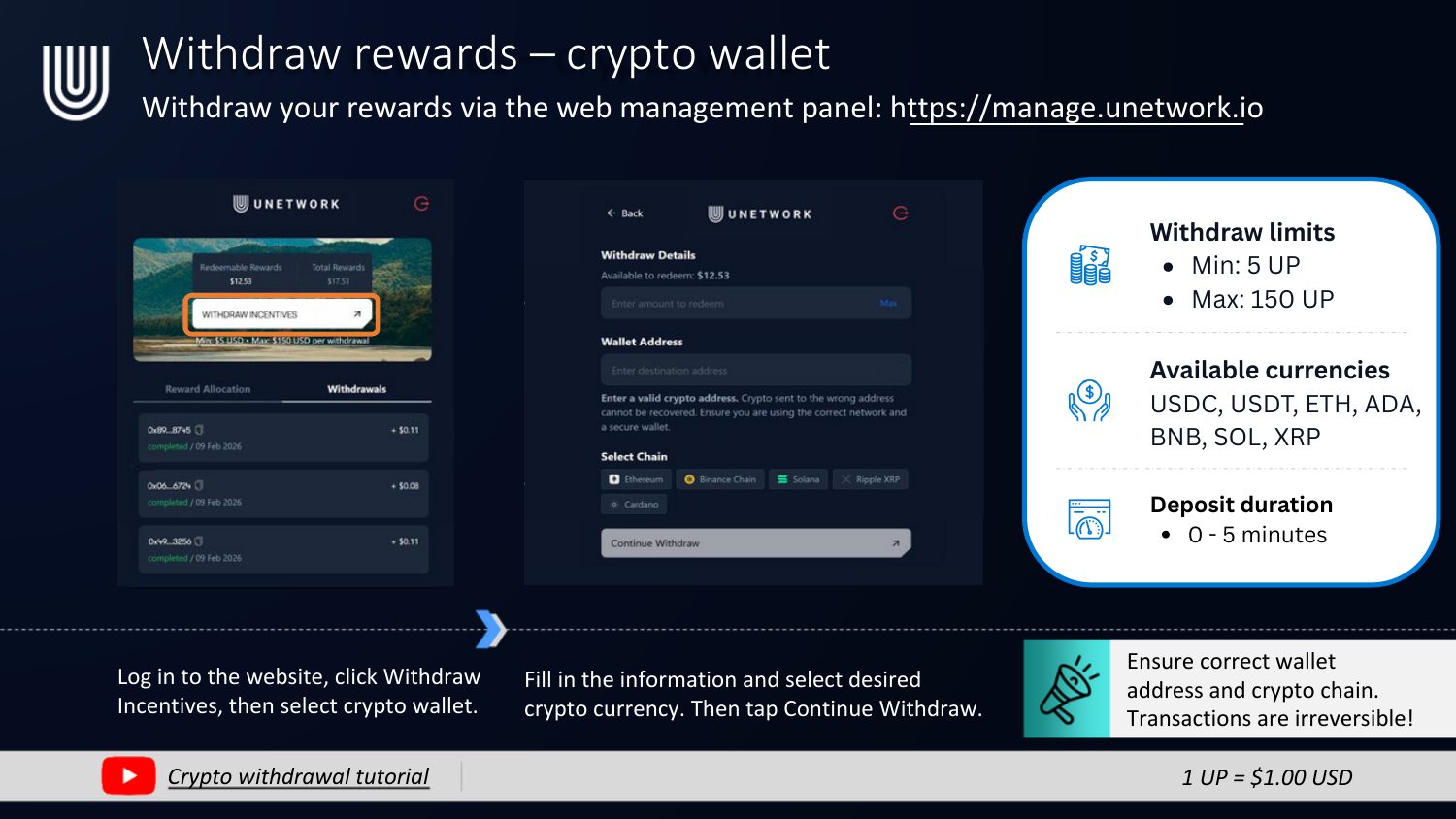
Withdraw your rewards via the web management panel: manage.unetwork.io
- Log in to the website, click Withdraw Incentives, then select crypto wallet.
- Fill in the information and select your desired crypto currency, then tap Continue Withdraw.
- Withdraw limits: min 5 UP, max 150 UP.
- Available currencies: USDC, USDT, ETH, ADA, BNB, SOL, XRP.
- Deposit duration: 0–5 minutes.
Ensure the correct wallet address and crypto chain — transactions are irreversible!
Withdraw rewards — bank transfer
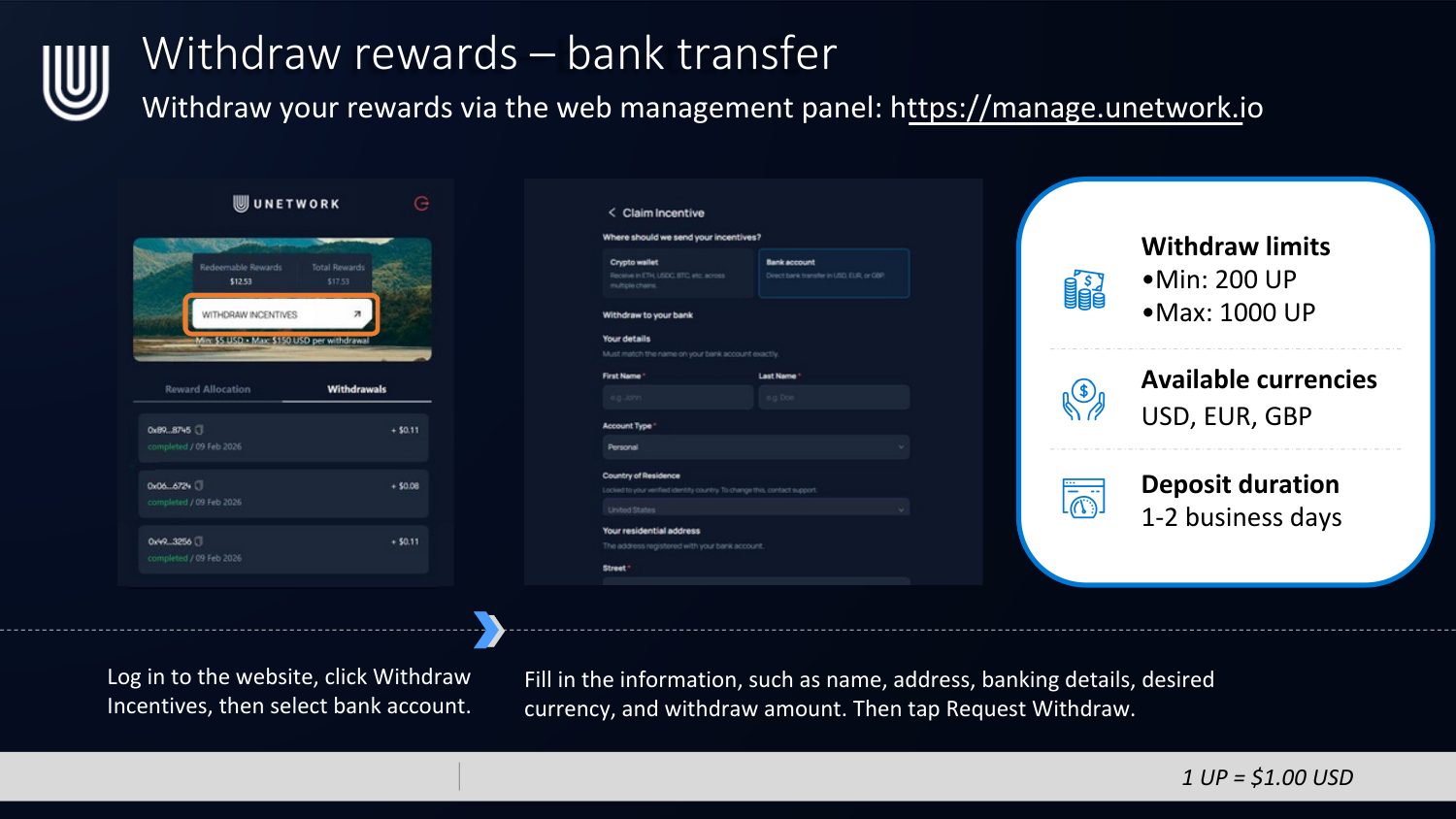
Withdraw your rewards via the web management panel: manage.unetwork.io
- Log in to the website, click Withdraw Incentives, then select bank account.
- Fill in your details — name, address, banking details, desired currency, and withdraw amount — then tap Request Withdraw.
- Withdraw limits: min 200 UP, max 1000 UP.
- Available currencies: USD, EUR, GBP.
- Deposit duration: 1–2 business days.
Prefer the visual PDF version? Download the Reward Incentives & Withdrawals PDF