Opting in to Tasks
1
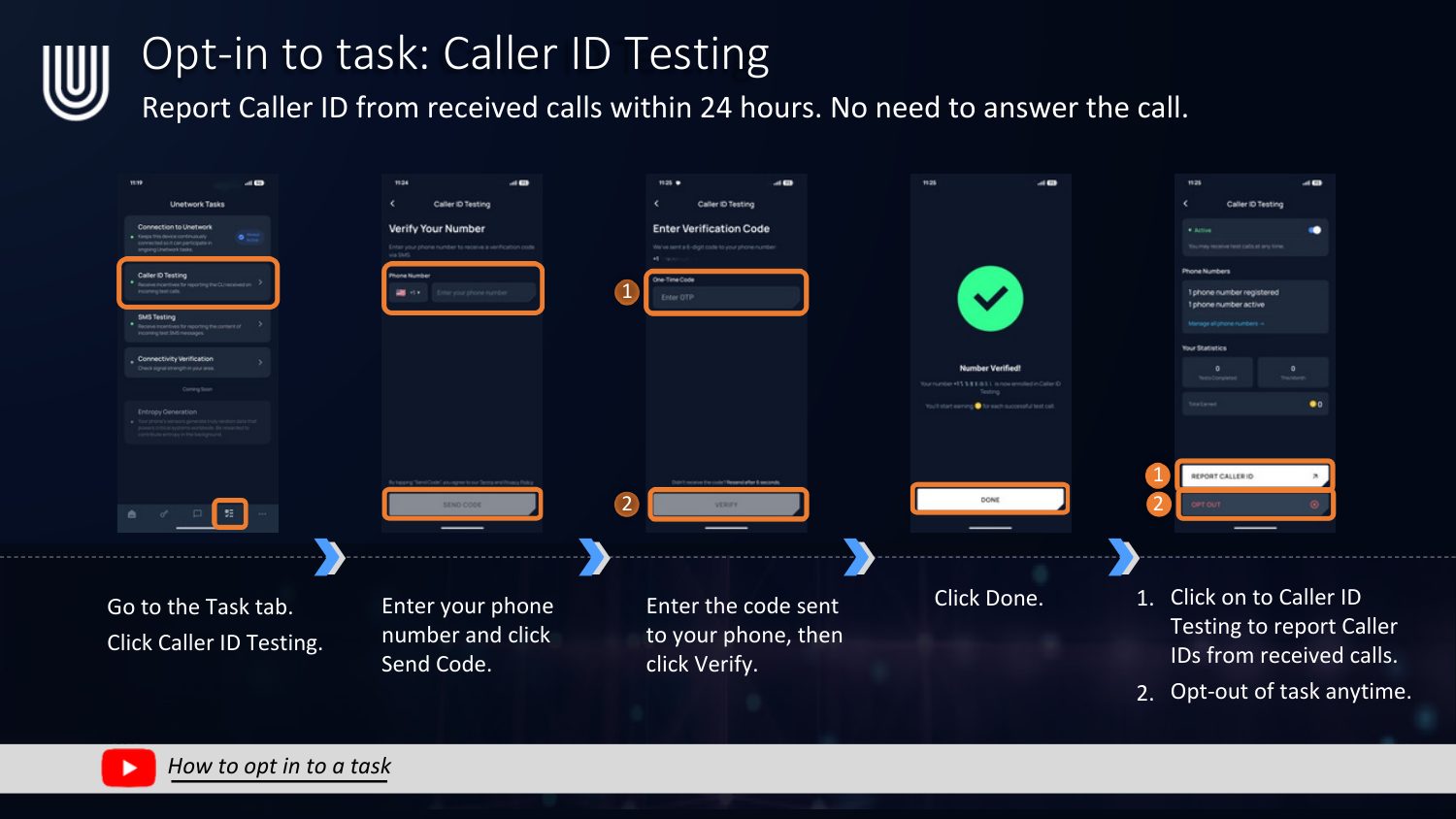
Caller ID Testing
Report Caller ID from received calls within 24 hours. No need to answer the call.
- Go to the Task tab and click Caller ID Testing.
- Enter your phone number and click Send Code.
- Enter the code sent to your phone, then click Verify.
- Click Done.
- Click on Caller ID Testing anytime to report Caller IDs from received calls, or opt out from the same screen.
2
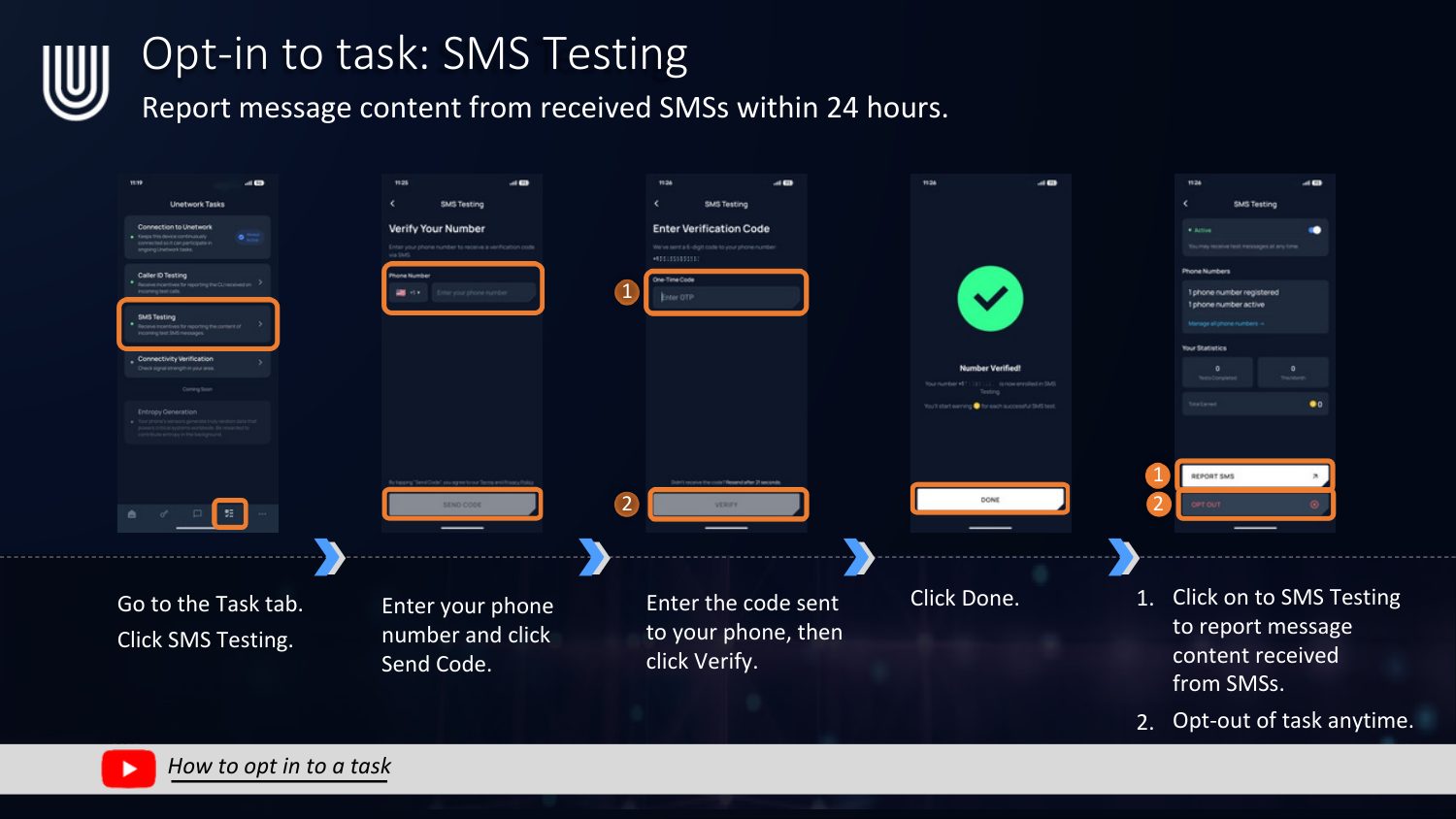
SMS Testing
Report message content from received SMSs within 24 hours.
- Go to the Task tab and click SMS Testing.
- Enter your phone number and click Send Code.
- Enter the code sent to your phone, then click Verify.
- Click Done.
- Click on SMS Testing anytime to report message content received via SMS, or opt out from the same screen.
3
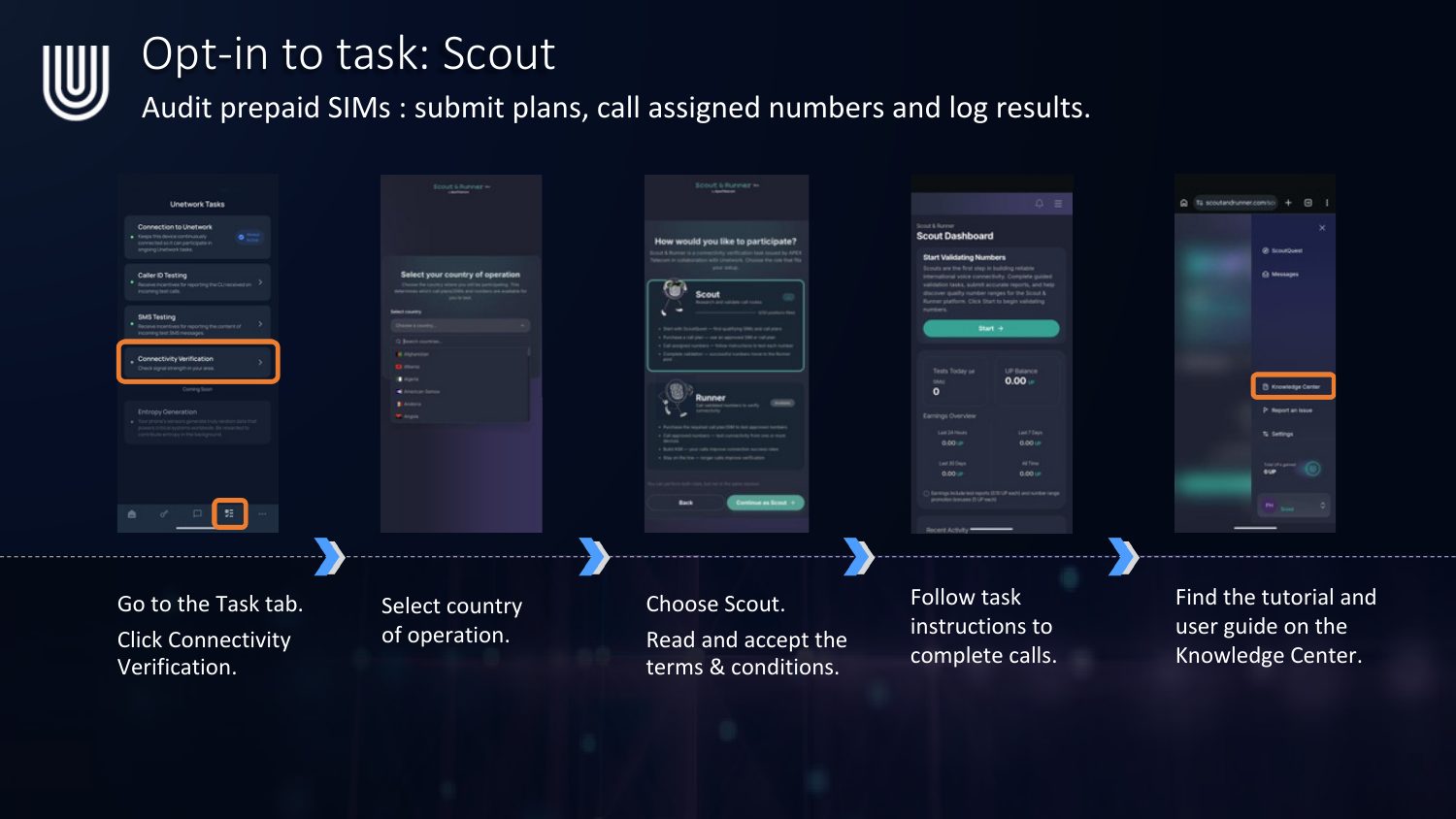
Scout
Audit prepaid SIMs: submit plans, call assigned numbers, and log results.
- Go to the Task tab and click Connectivity Verification.
- Select your country of operation.
- Choose Scout, then read and accept the terms & conditions.
- Follow the task instructions to complete calls.
- Find the full tutorial and user guide on the Knowledge Center.
4
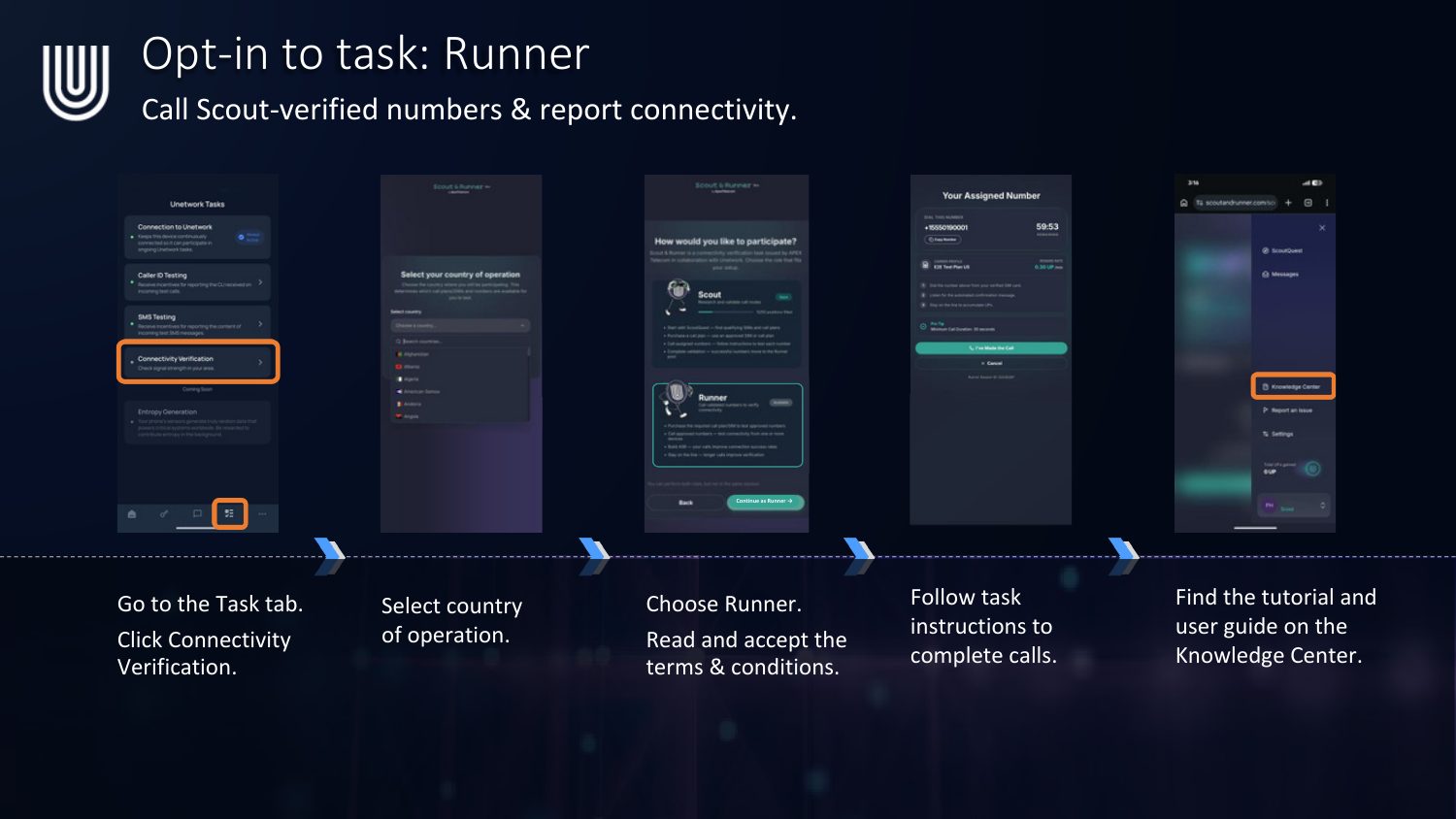
Runner
Call Scout-verified numbers and report connectivity.
- Go to the Task tab and click Connectivity Verification.
- Select your country of operation.
- Choose Runner, then read and accept the terms & conditions.
- Follow the task instructions to complete calls.
- Find the full tutorial and user guide on the Knowledge Center.
5
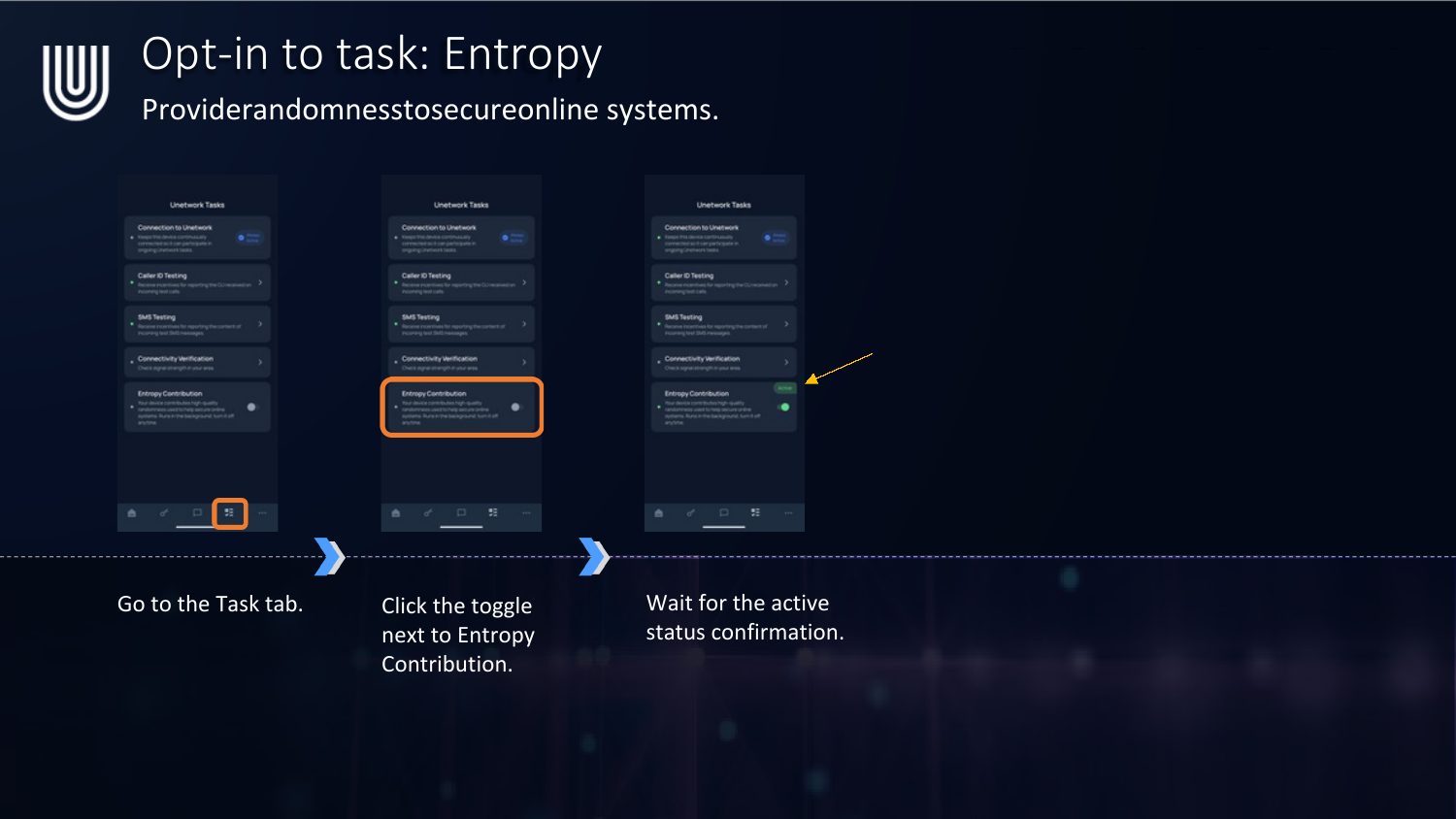
Entropy
Provide randomness to secure online systems — fully passive, runs in the background.
- Go to the Task tab.
- Click the toggle next to Entropy Contribution.
- Wait for the active status confirmation.
Prefer the visual PDF version? Download the Opting in to Tasks PDF