Navigating the Dashboard
1
Homepage overview
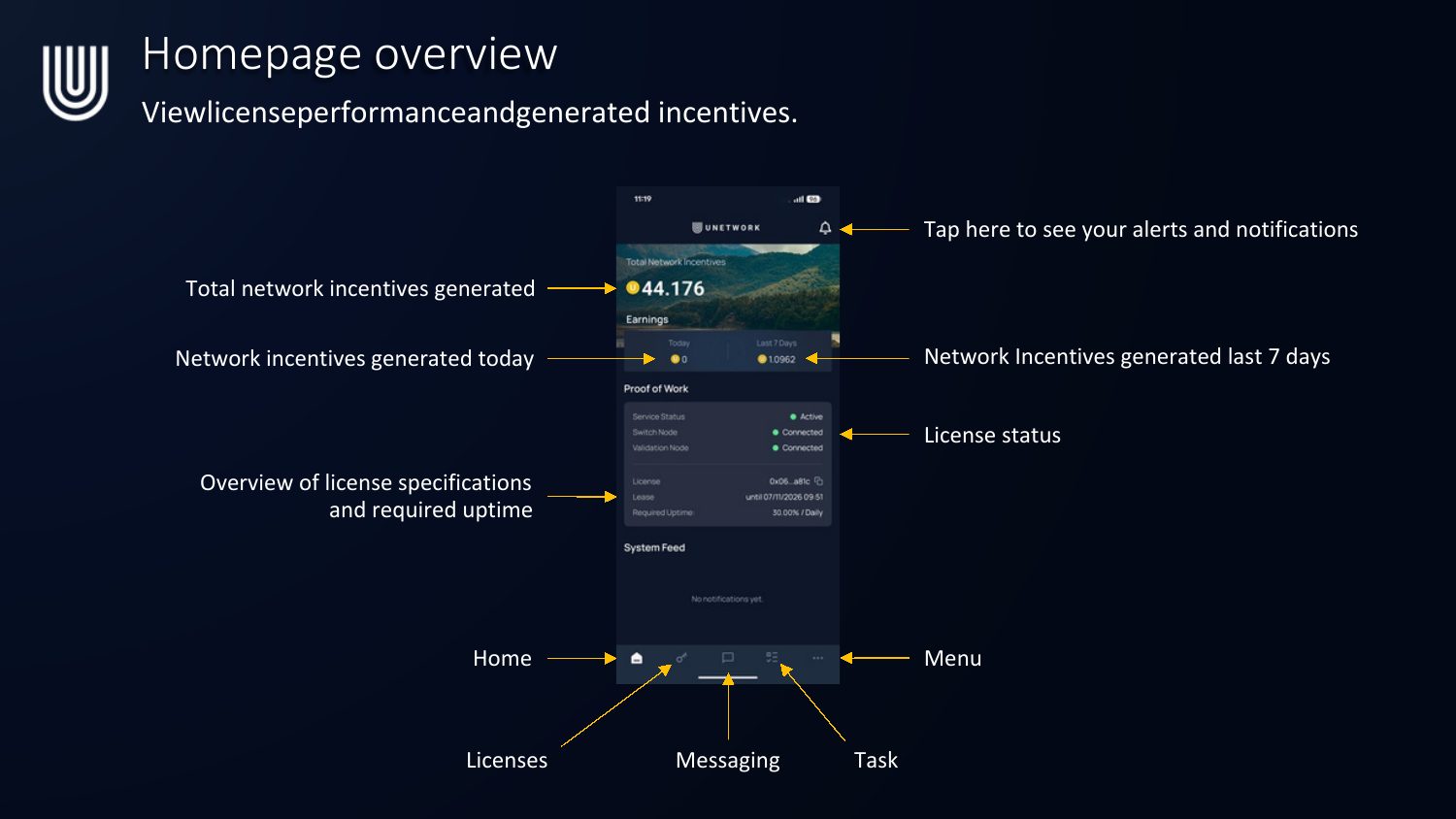
View license performance and generated incentives at a glance:
- Total network incentives generated, plus incentives generated today and over the last 7 days.
- Proof of Work — license status (Service Status, Switch Node, Validation Node), and an overview of license specifications and required uptime.
- System Feed for notifications.
- Bottom nav: Home, Licenses, Messaging, Task, and Menu. Tap the bell icon to see alerts and notifications.
2
Licenses tab
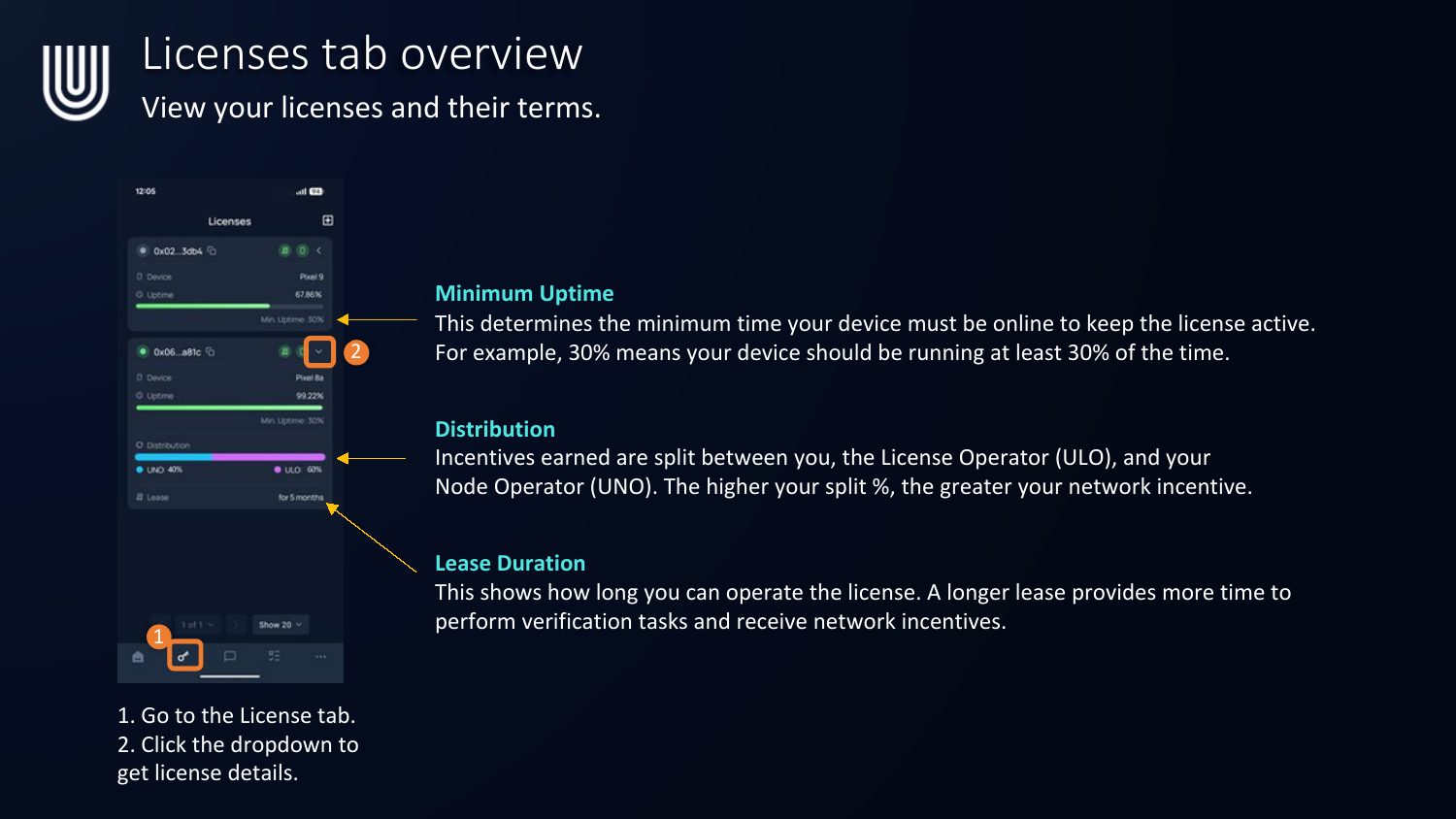
- Go to the License tab.
- Click the dropdown to get license details.
- Minimum Uptime — the minimum time your device must be online to keep the license active. 30% means your device should be running at least 30% of the time.
- Distribution — incentives earned are split between you, the License Operator (ULO), and your Node Operator (UNO). The higher your split %, the greater your network incentive.
- Lease Duration — how long you can operate the license. A longer lease gives more time to perform verification tasks and earn incentives.
3
In-app messaging
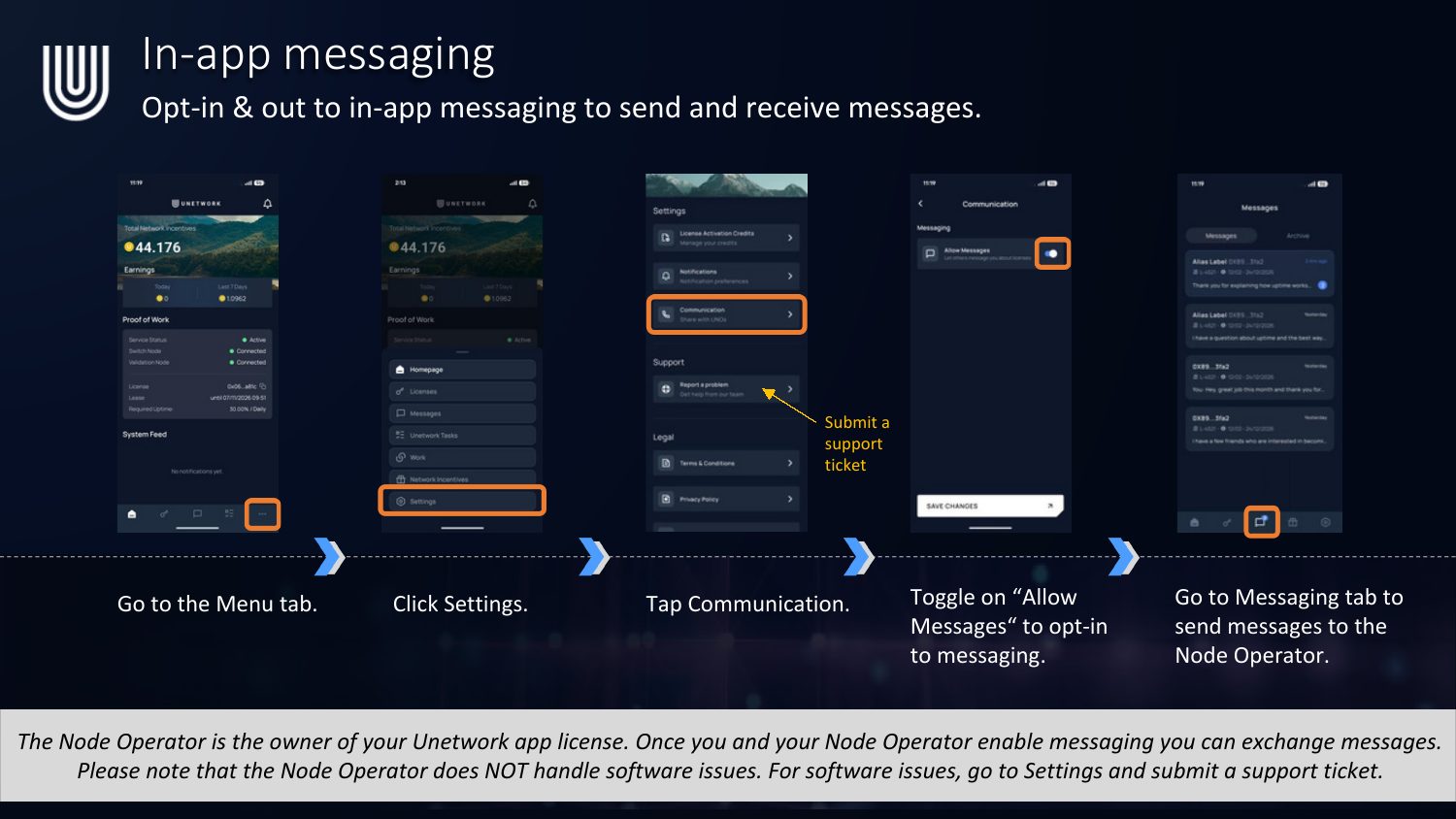
Opt in or out of in-app messaging to send and receive messages with your Node Operator.
- Go to the Menu tab.
- Click Settings.
- Tap Communication.
- Toggle on "Allow Messages" to opt in to messaging.
- Go to the Messaging tab to send messages to the Node Operator.
The Node Operator is the owner of your Unetwork app license. Note that the Node Operator does NOT handle software issues — for software issues, go to Settings and submit a support ticket instead.
4
Settings overview
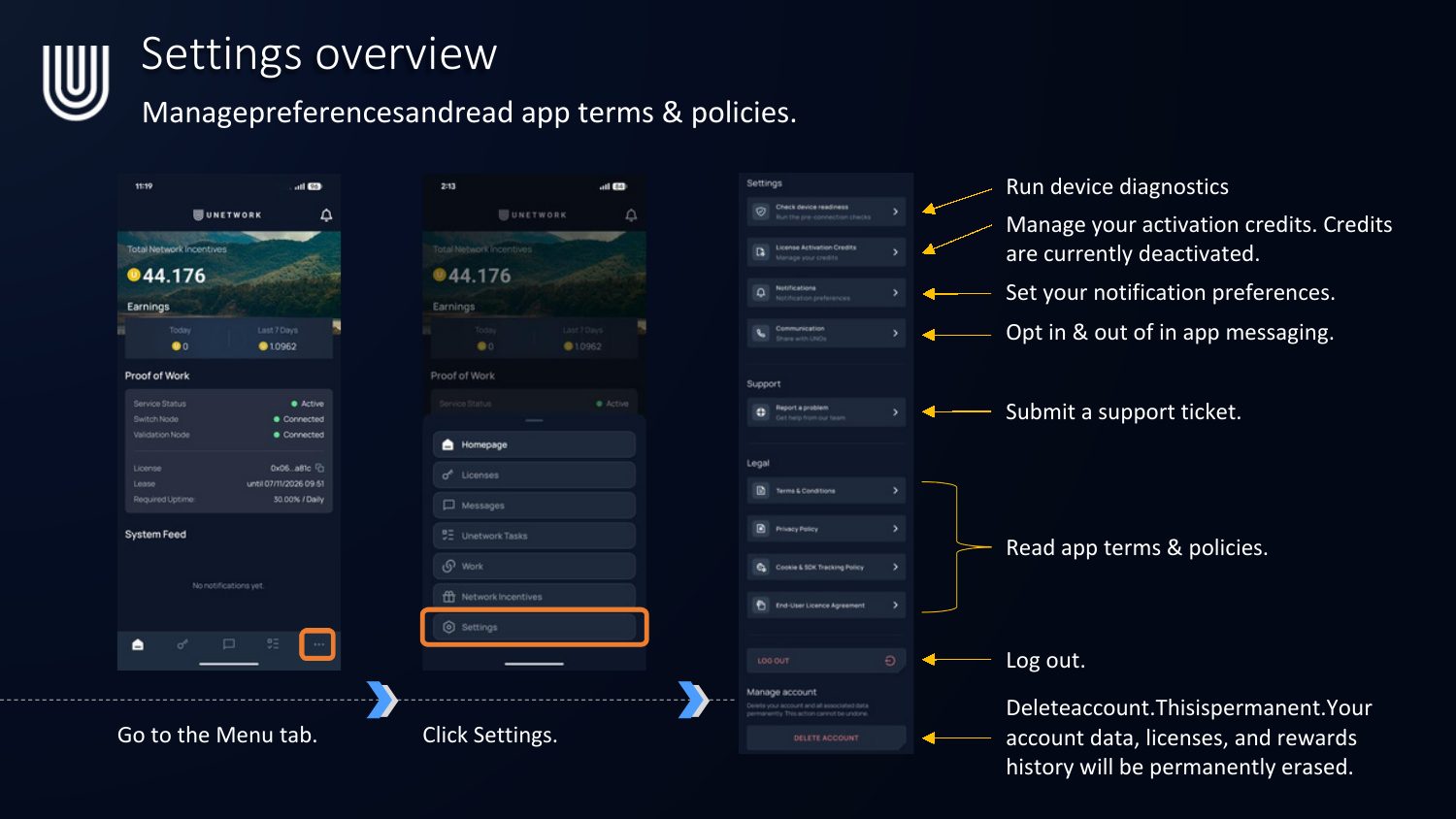
Manage preferences and read app terms & policies from Menu → Settings:
- Run device diagnostics.
- Manage your activation credits (currently deactivated during ramp-up).
- Set your notification preferences.
- Opt in & out of in-app messaging.
- Submit a support ticket.
- Read app terms & policies (Terms & Conditions, Privacy Policy, Cookie & SDK Tracking Policy, End User License Agreement).
- Log out.
- Delete account — this is permanent. Your account data, licenses, and rewards history will be permanently erased.
Prefer the visual PDF version? Download the Navigating the Dashboard PDF