Getting Started
Don't have a license yet? You'll need a Lease Code to complete Step 2 below.
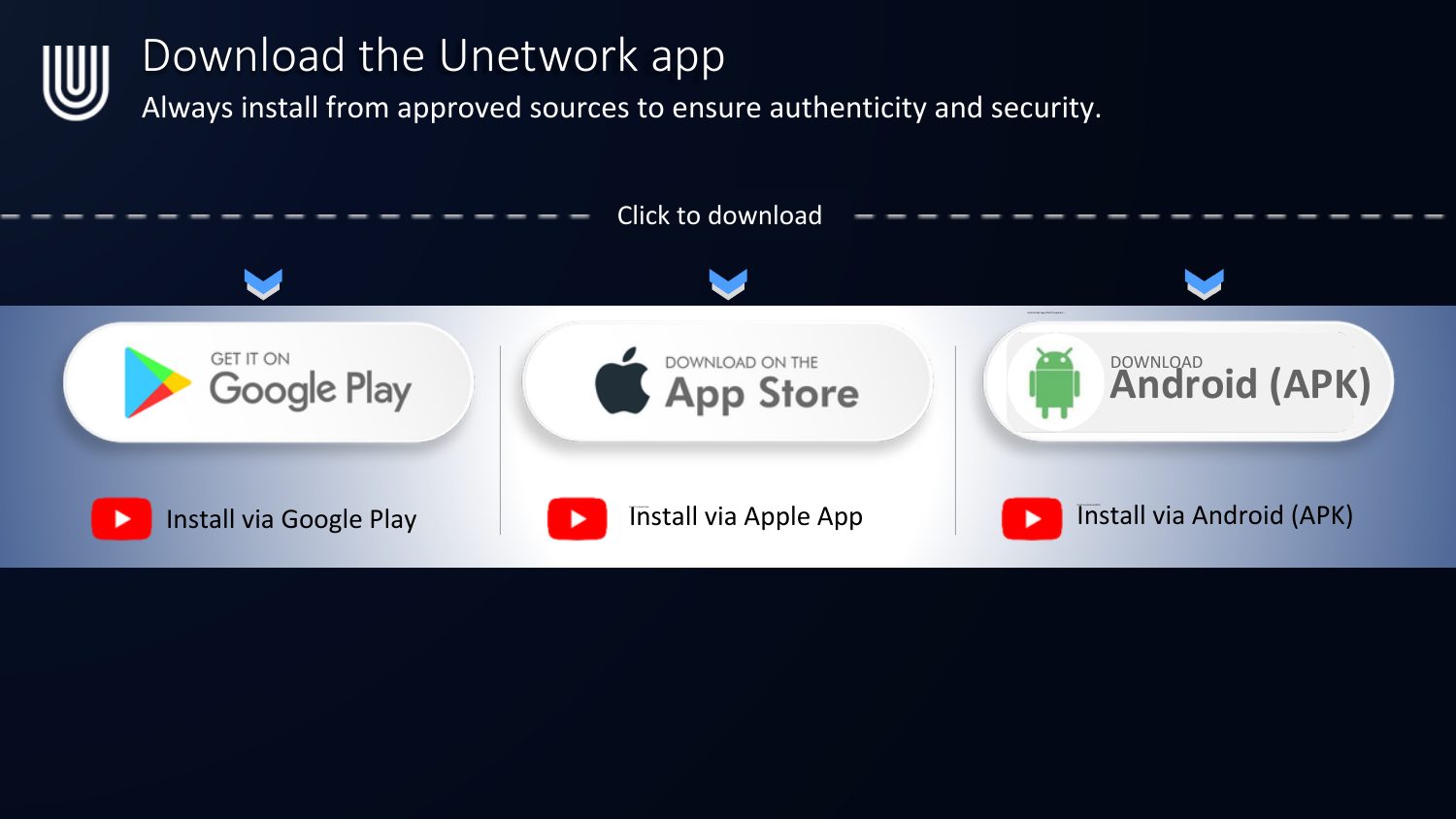
Claim your licenseDownload the Unetwork app
Always install from an approved source to ensure authenticity and security.
Set up the app with your email
Sign in via email. Use the same login across all your devices — each device still needs its own unique license.
- Open the app and tap Get Started.
- Select License Operator.
- Click Enter a Lease Code.
- Paste the Lease Code from your onboarding email and tap Continue.
- Choose Sign In with Email.
- Enter your email address and tap Continue.
- Enter the one-time code sent to your email and tap Verify.
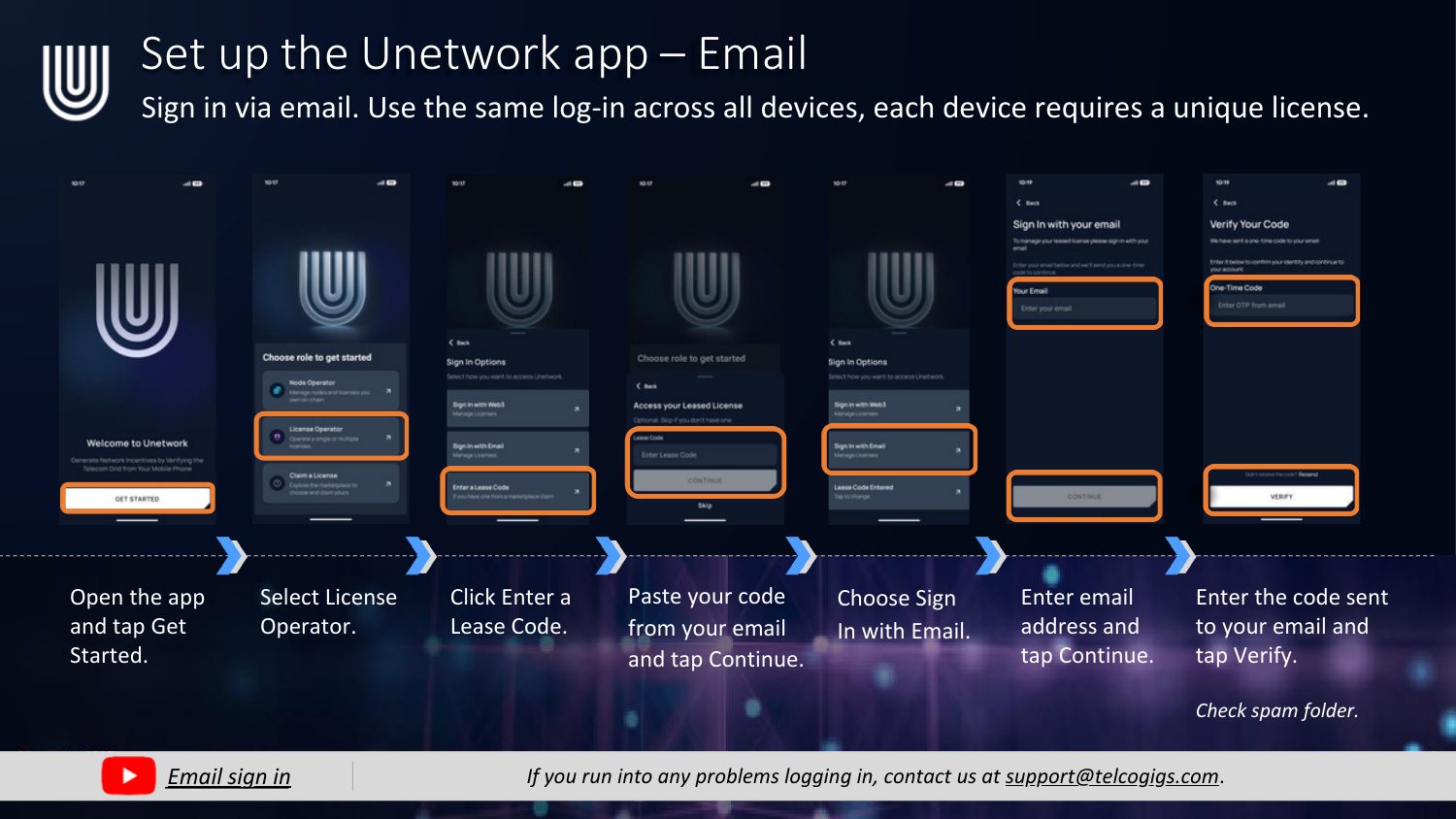
Didn't get the email code? Check your spam folder. If you run into any problems logging in, contact us at support@telcogigs.com.
Bind your license to your phone
Your license should bind automatically. If it doesn't, bind it manually:
- If the status lights are red, open the Menu and go to the Work tab.
- Select your license and tap Continue.
- Wait for Service Status, Switch Node, and Validation Node to all turn green.
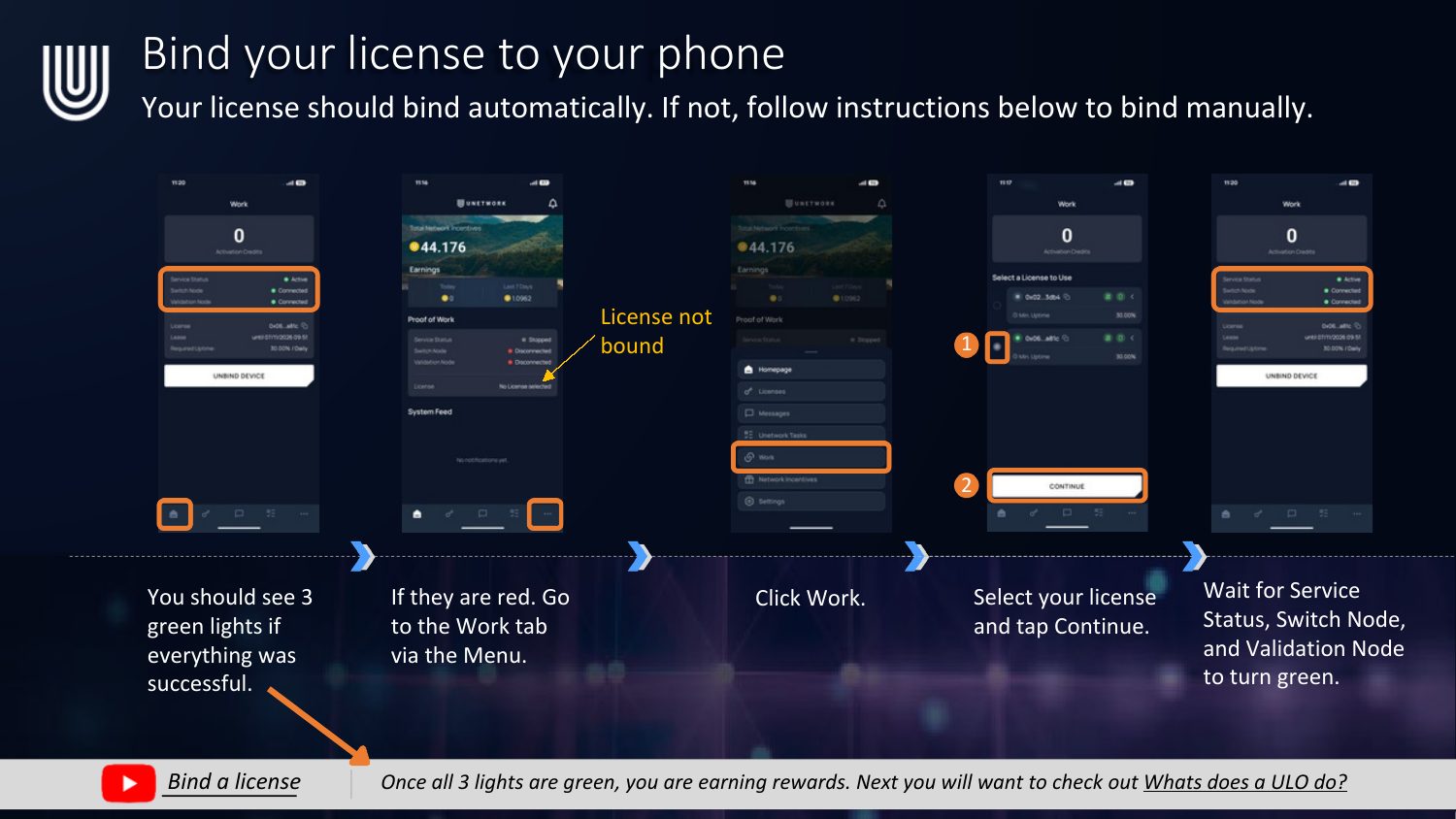
Once all 3 lights are green, you're earning rewards.
What's next?
You're connected and earning passively just by staying online. Next, learn what a License Operator actually does, how to read your dashboard, and how to opt into higher-paying tasks.
Prefer the visual PDF version? Download the Getting Started PDF